If your catalogue photos are called IMG_0023.jpg, image1.png or final-v3.webp, you are making Google guess what they show. The same goes for AI-generated product shots straight out of a tool. Google's image guidance is short and practical, and most of it can be fixed in about an hour. Here is the checklist, in the order that pays off fastest.
1. Rename the files
Google asks for short, descriptive file names with words separated by hyphens. Its own example contrasts my-new-black-kitten.jpg with IMG00023.JPG, and it says to avoid generic names such as image1.jpg. For a shop that means including the product, not a keyword list:
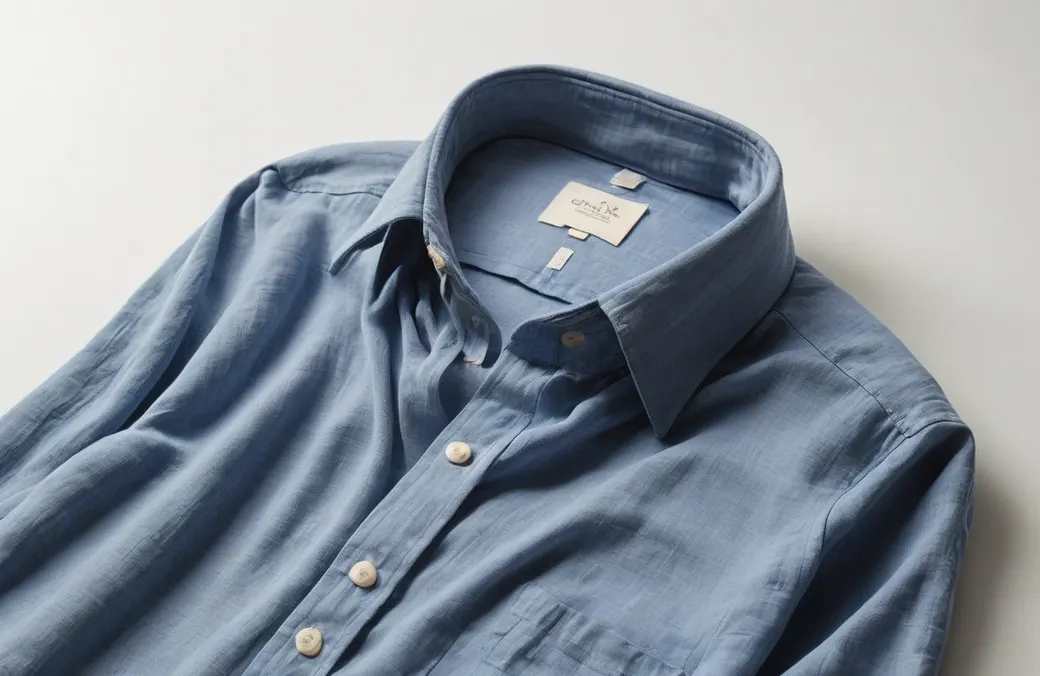
- Bad:
IMG_0023.jpg,DSC09841.png - Better:
linen-shirt-blue.jpg - Best:
linen-shirt-blue-front.jpg,linen-shirt-blue-collar-detail.jpg
If your shop platform uploads files under its own IDs, rename before upload, and keep the file extension matching the real file type. Google supports BMP, GIF, JPEG, PNG, WebP, SVG and AVIF.
2. Write alt text that describes the picture
Google calls alt text the most important metadata attribute for an image. Its guidance ranks an empty alt as bad, a keyword-stuffed alt as bad, a one-word alt as better, and a specific descriptive phrase as best. For a product page:
- Bad: empty, or
shirt shirts linen shirt buy shirt - Better:
blue shirt - Best:
Blue linen shirt with button-down collar, worn untucked
Describe what the image shows in the context of the page. Give each photo of the same product its own wording, because the front, the back and a close-up show different things. If a photo is AI-generated, write the alt text from what the image really shows. The Google page does not address AI-generated images or any AI-specific metadata, so the same rules apply to them as to any photo.
3. Use real img elements
Google finds images in the src attribute of <img> elements, including inside <picture>. It does not index CSS background images. A product gallery built with background-image in a stylesheet is invisible to image search. Check your theme: sliders, zoom widgets and hero banners are common offenders.

<!-- findable -->
<img src="/img/linen-shirt-blue-front.jpg" alt="Blue linen shirt with button-down collar, worn untucked">

<!-- not indexed as an image -->
<div style="background-image: url(/img/linen-shirt-blue-front.jpg)"></div>
4. Responsive images need an img fallback
Serving smaller files to phones is good for speed, and Google supports srcset with sizes, or a <picture> with <source> children. The rule is to always keep an <img> with a src fallback, because some browsers and crawlers do not support the newer attributes.
<img
  src="/img/linen-shirt-blue-front-800.jpg"
  srcset="/img/linen-shirt-blue-front-400.jpg 400w, /img/linen-shirt-blue-front-800.jpg 800w"
  sizes="(max-width: 600px) 400px, 800px"
  alt="Blue linen shirt with button-down collar, worn untucked">
5. Put images next to the words about them
Google uses the surrounding page to understand an image: captions, titles and the text nearby. Place each product photo near the product name and description, on a page about that product. Reuse the same URL when the same image appears on several pages, so Google can cache it instead of fetching it again.
6. Add an image sitemap if images live on a CDN
An image sitemap helps Google find pictures it might not otherwise discover. Unlike a regular sitemap, <image:loc> may point to another domain, which suits CDN hosting. Google also advises verifying the CDN domain in Search Console so you receive crawl errors for it.
7. Tell Google which image is the main one
You can specify a preferred image with schema.org primaryImageOfPage, or an image property on a WebPage or BlogPosting, or with the og:image meta tag. Choose a relevant, representative, high-resolution image without extreme aspect ratios. Avoid generic pictures such as your logo, and images that contain text.
In structured data, Google states the image property is required for eligibility for the Google Images badge and rich results. If your product pages already carry structured data, check that each one includes it.
The one-hour audit
- Open your five best-selling product pages. View the page source and search for
background-image. Move any product photo into an<img>. - Download the files and note their names. Rename any
IMG_,DSCorimage1files with a hyphenated description. - Rewrite the alt text of each photo so it says what is in the frame, one phrase each.
- Confirm every responsive image keeps an
<img src>fallback. - If images are served from a CDN, create an image sitemap and verify the CDN domain in Search Console.
- Check that each product's structured data carries an
imageproperty.
Start with the best sellers and work down. Nothing here needs a developer for a small catalogue, and everything is a one-off cost that keeps paying as new products reuse the same habits.